Review Comments (7) Screenshots (4) Questions & Answers (1) Votes (295) Awards (13) Wiki  
-Please log in to rate
4.1 4.1/5 (295)
-Ashampoo
-6.6
- www2.ashampoo.com
-Shareware
-19.99$  Purchase
- 104 052 people
Download Ashampoo... 6.6

10.14 MBDownloaded 7452 times


Review

Simplicity is key in Burning Studio 6. Select the files and folders, decide what you want to do and burn your disc (DVD, CD or Blu-ray). Create and restore backups, rip and burn audio discs, copy movies on DVD or CD, erase your rewritable discs, create and update data discs… anything you may need to do is just a few clicks away with Burning Studio 6. It’s intuitive… and it’s FREE!

Burning Studio 6 FREE is a powerful tool that will easily show you how to save your valuable data into multi-disc backups. You can either use DVDs, CDs or the new Blu-ray discs. If you wish, it may compress your data to take up fewer discs, and will automatically split the files across multiple discs. It can even protect them using a powerful encryption and password protection. You can later restore your files easily in their original locations.

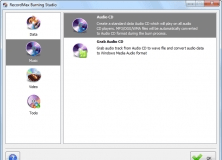
Create audio and video discs without hassle. You just need to select the songs you want to add to the disc (supports WAV, MP3, FLAC, Ogg Vorbis or WMA) and decide on the type of disc you want them – an audio CD or an MP3 or WMA disc. You can use files from your hard drive or you can rip tracks from CD and store them in WAV, MP3 or WMA. Movies are burnt just as easily - just add as many files as you wish, arrange them in the order of your choice, and Burning Studio 6 FREE will create a DVD, CD or Blu-ray disc for you. You can also make as many copies as you need of existing CDs and DVDs.

Burning Studio 6 FREE will also create and burn disc Images in the file format of your choice – ISO, CUE/BIN or Ashampoo’s own Image file format, ASHDISC. You will have a perfect clone of the original disc with the maximum quality and the minimum hassle.

Burning Studio 6 FREE supports 20 different languages and over 1,700 CD, DVD and Blu-ray burners.
Advantages
  • Simplicity and ease of use.
  • Clear screens and options.
  • Multi-disc protected backups.
  • It's free.
Disadvantages
  • There are newer versions of the same software with improved functionality.

Reviewed by: Francisco Javier Martínez Calvo

Reviewer rating: Editor's rating 5

Screenshots

Main Menu Screen Main Menu Screen Restore Files Screen Restore Files Screen Burn Movies on CD Burn Movies on CD Burn Disc Images Burn Disc Images

Latest comments

Guest #98961082(beginner) 13 days ago 
so far so good i rather have tha latest version

cdney ryan
Guest #5435819(beginner) Last month 
For an experienced user, where I need to copy CDs or DVDs, or make CDs for my personal use, works great.
Guest #5927910(beginner) 2 months ago 
i like this program very much what i have seen of it any ways
Frank Panion
Add new comment All 7 comments
Extensions
.abkprj Ashampoo Backup Project
.ashbak Ashampoo Backup Archive
.ashprj Ashampoo Burning Studio Project
.cedprj Ashampoo CoverEditor Project
.ashdisc Ashampoo Burning Studio Image
Download siClient

Email Address:

Password:

Register now »

Forgot password?

Copyright © 2009, Informer Technologies, Inc. About| Privacy and terms| Help| Feedback