

Create backups of your files on disks, burn movies on DVDs and Blu-Rays, create music CDs, password protect sensitive information and make bootable disks.
Be it a data CD, a video DVD, a music disc for your car, or a high-definition movie on a Blu-ray writable disc, Ashampoo Burning Studio has the right tool for it. Not only it can burn all kinds of writable and re-writable discs, but it can also produce slideshows, add menus and covers to your discs, rip audio discs, create and burn ISO image files, or simply back up your sensitive files.
Few disc burning tools offer the level of versatility and comprehensiveness that you’ll find in Ashampoo’s solution. Every single aspect related to how to burn discs, their types, formats, etc., is widely covered, and on top of that the program offers you a wealth of interesting and useful tools to enhance all your products. It all comes wrapped up in an attractive, clear, and easy-to-navigate interface, full of self-explanatory icons and clear instructions.
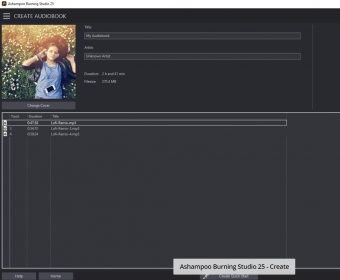
Among these utilities, you will find a video editor to cut, trim, or rotate your videos before adding them to the disc. Also, a comprehensive slideshow creator, complete with effects and transitions, the option to add your background music or commentary, add also motion to your still images, and burn it all to disc in a professional way. There are also tools to rip music out of your audio CDs and save in some of the most common audio formats, FLAC and WMA included. When creating audio or music discs, apart from the more obvious features, you can also import your Windows Media Player and iTunes playlists, create your own for playback in your car, produce MP3 sticks with the format and file order of your choice, normalize the audio of all the tracks in the disc, and then create a nice cover for your disc. Video discs can be enhanced with themes and menus, you can add subtitles (only in the SRT format) to your movies or home videos, and mix and add your own soundtracks to your video files.
On a more general note, there are other extremely appealing features that you won’t easily find in similar tools. One of the is the option to encrypt and password-protect your discs to keep your private data private. Another one is the program’s scratch protection that it applies to your discs at the time of burning them – apparently, data is replicated and saved in various parts of the disc and hides a recovery tool in them for you to retrieve all your data in case of emergency. Finally, I’d like to highlight its backup capabilities – you can schedule your backup routines and span all your files into various discs easily if you require extra space for them.
This latest version of Ashampoo Burning Studio comes with everything you need to create, author, and burn your media and data discs and then some. There is a free version of the program that lacks most of this extra functionality, but you can always download and install the trial version of Burning Studio 21 to get used to all its features and functions.






Comments (35)